 bpohvoodoo
107 lines
6.1 KiB
Markdown
107 lines
6.1 KiB
Markdown
# McLighting v3 - The ESP8266 based multi-client lighting gadget
|
|
|
|
[](https://gitter.im/mclighting/Lobby?utm_source=badge&utm_medium=badge&utm_campaign=pr-badge) [](https://travis-ci.com/toblum/McLighting) [](https://opensource.org/licenses/MIT) [](https://github.com/FabLab-Luenen/McLighting/blob/master/Arduino/McLighting/version.h)
|
|
|
|
McLighting (the multi-client lighting gadget) is a very cheap internet-controllable lighting solution based on the famous ESP8266 microcontroller and WS2811/2812 led strips. It features among other things a web-interface, a REST-API and a websocket connector.
|
|
|
|
Because of it's open architecture and APIs it's easy to build new clients for different platforms (iOS, Android, Windows Universal Apps, Siri/Cortana integration, ...).
|
|
|
|
[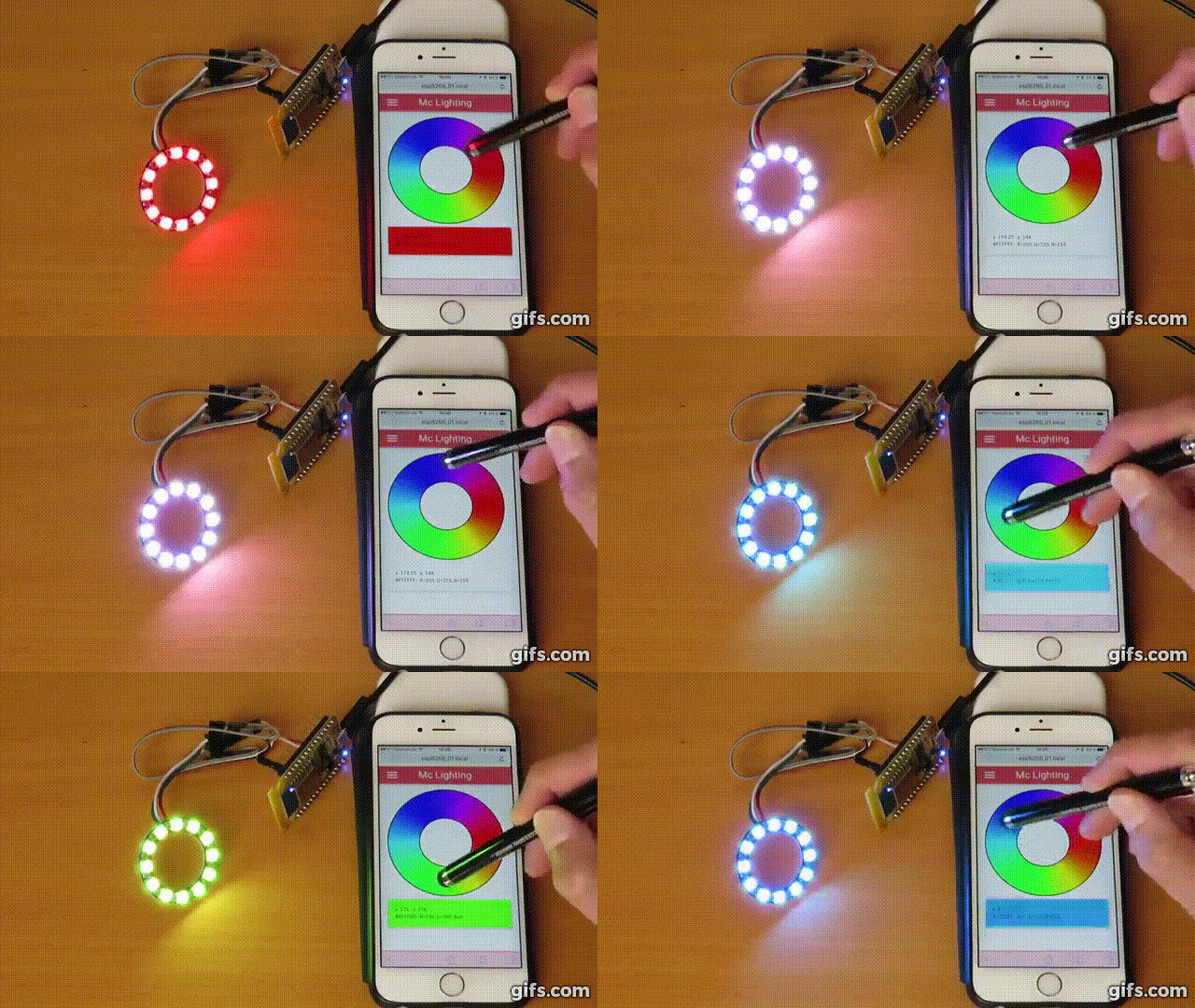](https://youtu.be/rc6QVHKAXBs)
|
|
|
|
[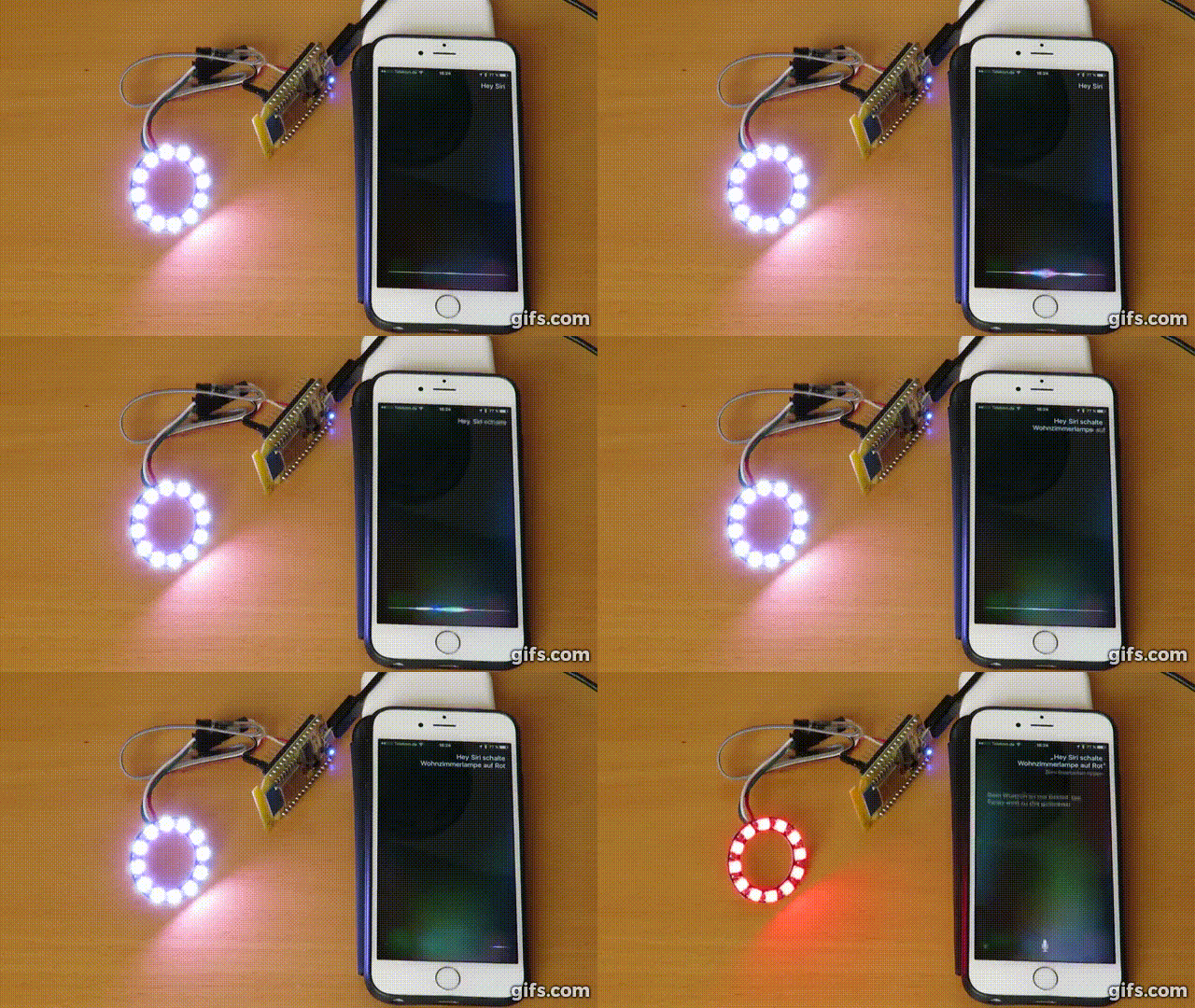](https://youtu.be/4JnGXZaPnrw)
|
|
|
|
---
|
|
|
|
## The Hardware
|
|
|
|
The project is based on the ESP8266 and WD2811/WS2812 LED strips. There are many variations of the ESP chip out there, but for beginners we suggest a NodeMCU dev board, as these are as "plug 'n' play"as it can get.
|
|
A standalone ESP8266 or an Adafruit Huzzah should work too.
|
|
|
|
The RGB LED strips are also available in many different flavours (as strips or as standalone LEDs) and can easily be chained.
|
|
|
|
For a detailed explanation see our wiki: [Hardware](../../wiki/Hardware)
|
|
|
|
|
|
## Software installation
|
|
|
|
You can read how to get started on the software side of this project
|
|
again in out wiki: [Software installation](../../wiki/Software-installation)
|
|
|
|
---
|
|
|
|
### Used Libraries
|
|
|
|
This project uses libraries and code by different authors:
|
|
|
|
- [WiFiManager](https://github.com/tzapu/WiFiManager) by tzapu (tested with version 0.15.0)
|
|
|
|
- [WS2812FX](https://github.com/kitesurfer1404/WS2812FX) by kitesurfer1404 (tested with version 1.2.1)
|
|
|
|
- [WebSockets](https://github.com/Links2004/arduinoWebSockets) by Links2004 (tested with version 2.1.4)
|
|
|
|
- [Adafruit NeoPixel](https://github.com/adafruit/Adafruit_NeoPixel) by adafruit (tested with 1.2.5)
|
|
|
|
- Optional: [PubSubClient](https://github.com/knolleary/pubsubclient/) by knolleary (tested with 2.7.0)
|
|
_Only when you have activated MQTT in definitions.h._
|
|
|
|
The sketch also uses the following built-in library:
|
|
- Ticker by [@igrr](https://github.com/igrr)
|
|
|
|
Parts of the code were taken or inspired by the following sources:
|
|
|
|
- [HSB3RGB conversion](https://blog.adafruit.com/2012/03/14/constant-brightness-hsb-to-rgb-algorithm/)
|
|
|
|
- [TV simulator](https://github.com/BulldogLowell/PhoneyTV) logic inspired by BulldogLowell
|
|
|
|
- [SPIFFS Webserver](https://github.com/esp8266/Arduino/tree/master/libraries/ESP8266WebServer/examples/FSBrowser) by Hristo Gochkov
|
|
|
|
Thank you to all the authors for distributing their software that way.
|
|
I hope I didn't miss any sources and mentioned every author. In case I forgot someone please let me know and I will fix it.
|
|
|
|
|
|
## Todos
|
|
- [ ] Redesign of Code and bump to V3
|
|
- [ ] Removal of LEGACY_ANIMATIONS
|
|
- [ ] Include ws28fx library to code due to modifications in library
|
|
- [ ] Support multiple strips and control them separately or together [Issue](https://github.com/toblum/McLighting/issues/118)
|
|
- [ ] Remove old / wrong EEPROM settings completely [Issue]
|
|
- [ ] Customer profile to define segments of (in)active areas on the strip [Issue](https://github.com/toblum/McLighting/issues/37)
|
|
- [ ] Additional clients
|
|
- [ ] If no wifi, at least enable button mode.
|
|
- [ ] Also enable McLighting in Wifi AP mode.
|
|
- [ ] Multiple buttons/GPIO Inputs. [Issue](https://github.com/toblum/McLighting/issues/119)
|
|
- [ ] Music visualizer / Bring back ArtNet [Issue](https://github.com/toblum/McLighting/issues/111)
|
|
- [ ] Display version and parameters (Number of LEDs, definition settings, ..) in the web UI [Issue](https://github.com/toblum/McLighting/issues/150)
|
|
- [ ] Support for up to ten segments
|
|
- [x] Add TV, E1.31 and AUTO to CUSTOM_WS2812FX_ANIMATIONS
|
|
- [x] Save status: Added saving of status 'AUTO'. [Issue] (https://github.com/FabLab-Luenen/McLighting/issues/30)
|
|
- [x] EXPERIMENTAL: Added transition feature on changing values of color brightness and speed. ATTENTION! Does not work proberly for all WS2812fx effects. Can be set via UI.
|
|
- [x] Added Custom Animation 'Gradient': [Issue] (https://github.com/FabLab-Luenen/McLighting/issues/25)
|
|
- [x] Make number of pixels, MQTT and PIN configurable via front end [Issue](https://github.com/toblum/McLighting/issues/93) and [Issue](https://github.com/toblum/McLighting/issues/101)
|
|
- [x] Bundle webpages instead of SPIFFS [Issue](https://github.com/toblum/McLighting/issues/93)
|
|
- [x] IR remote support [issue](https://github.com/toblum/McLightingUI/issues/3)
|
|
- [x] MQTT support
|
|
- [x] Save favourite effects? [Issue](https://github.com/toblum/McLighting/issues/35)
|
|
- [x] OTA update [Issue](https://github.com/toblum/McLighting/issues/92)
|
|
- [x] Fix issue with websockets connection problems
|
|
- [x] Switch to the [NeoPixelBus library](https://github.com/Makuna/NeoPixelBus/wiki)
|
|
- [x] Use the led strip for status information in connection phase
|
|
- [x] Enhance the documentation
|
|
- [x] Stability improvements
|
|
- [x] RGBW mode [Issue](https://github.com/toblum/McLighting/issues/24)
|
|
- [x] Add called command to response [Issue](https://github.com/toblum/McLighting/issues/19)
|
|
- [x] Button control [Issue](https://github.com/toblum/McLighting/issues/36)
|
|
- [x] Retain last state [Issue](https://github.com/toblum/McLighting/issues/47)
|
|
- [x] Make a set of NodeRed nodes.
|
|
|
|
|
|
## Licence
|
|
[MIT](https://choosealicense.com/licenses/mit/)
|
|
|
|
|
|
## Disclaimer
|
|
You use this project at your own risk. This is not a solution that should be used in productive environments, but this code and guide could give you a quick start for your own experiments. Please keep also in mind that there are currently some security features missing.
|
|
|
|
|
|
*More information will be added as soon as I clean up the code and complete documentation.*
|